

M2 注册
通过简单便捷的注册流程创建您的M2官方账号。
在 M2 官方平台注册
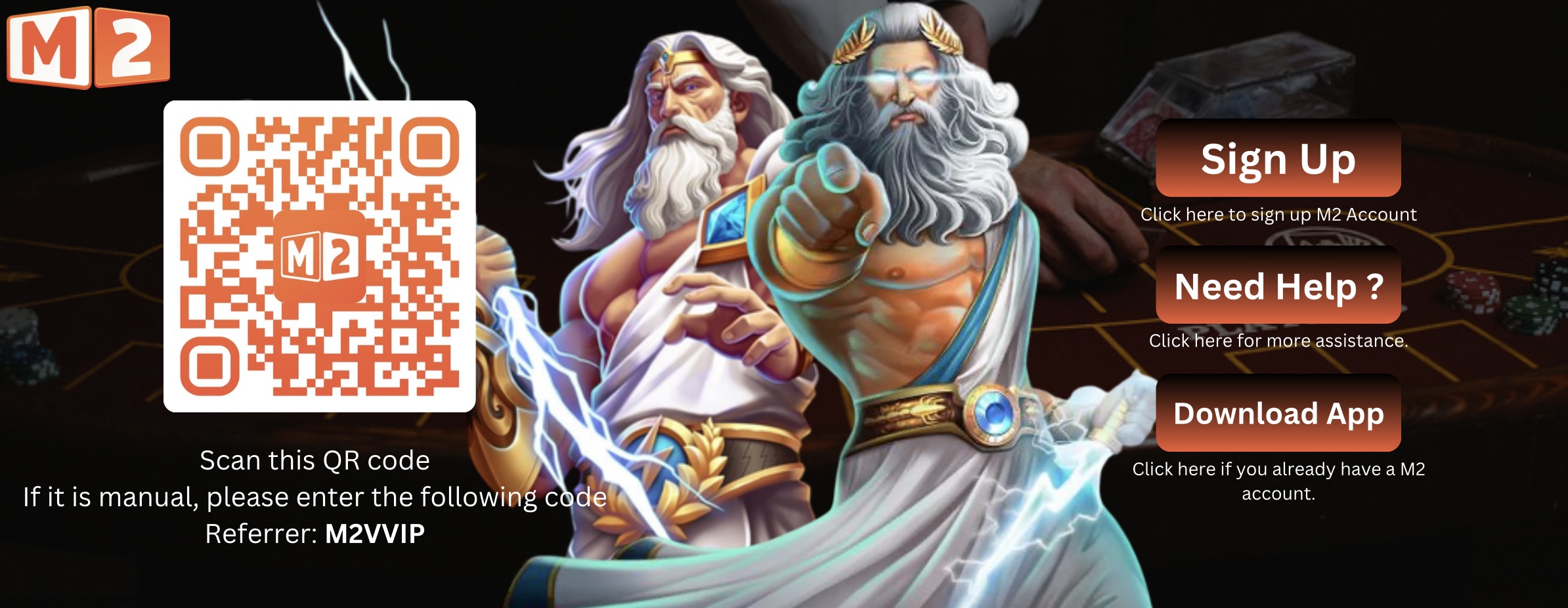 立即注册 M2
How to Register with M2 Official
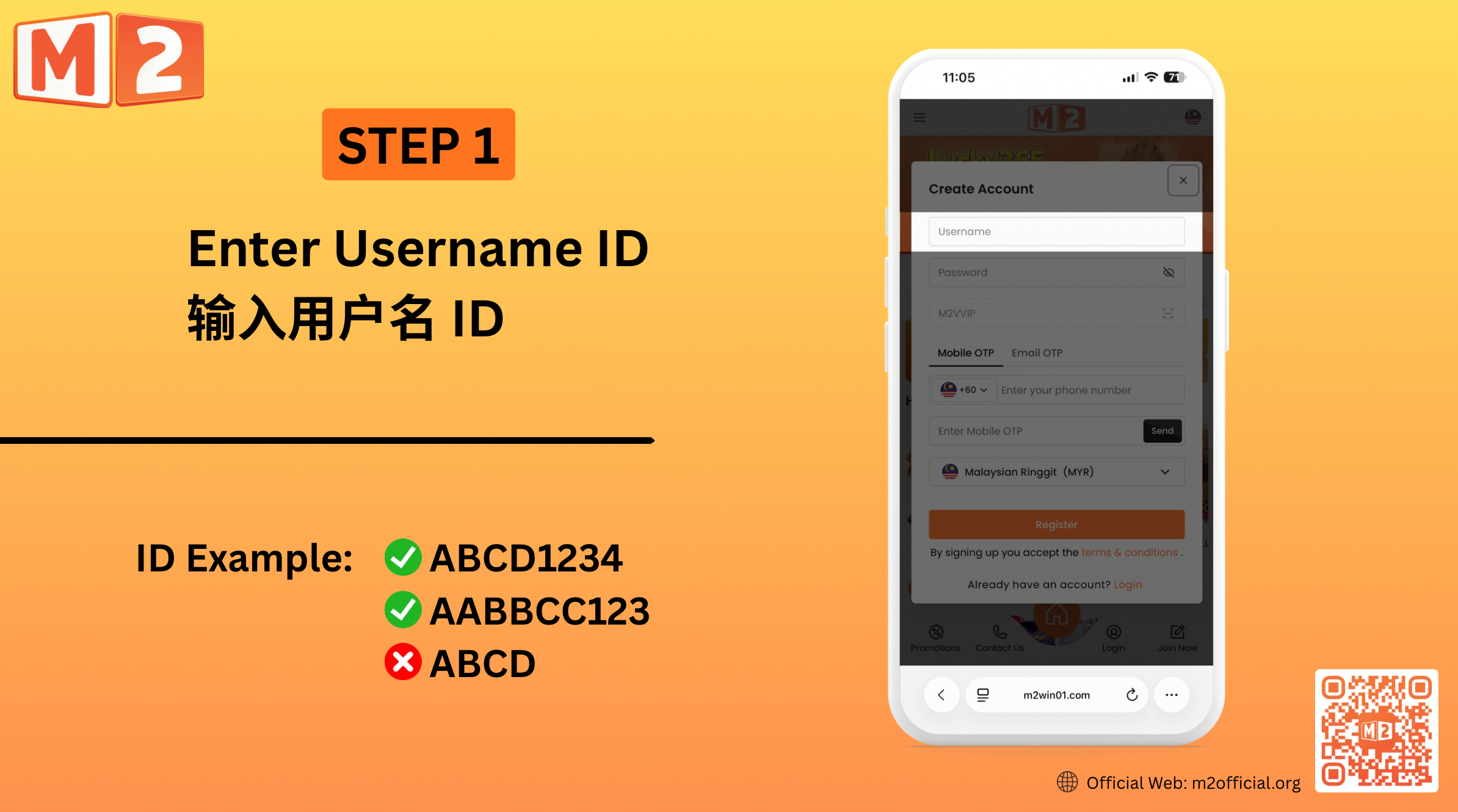

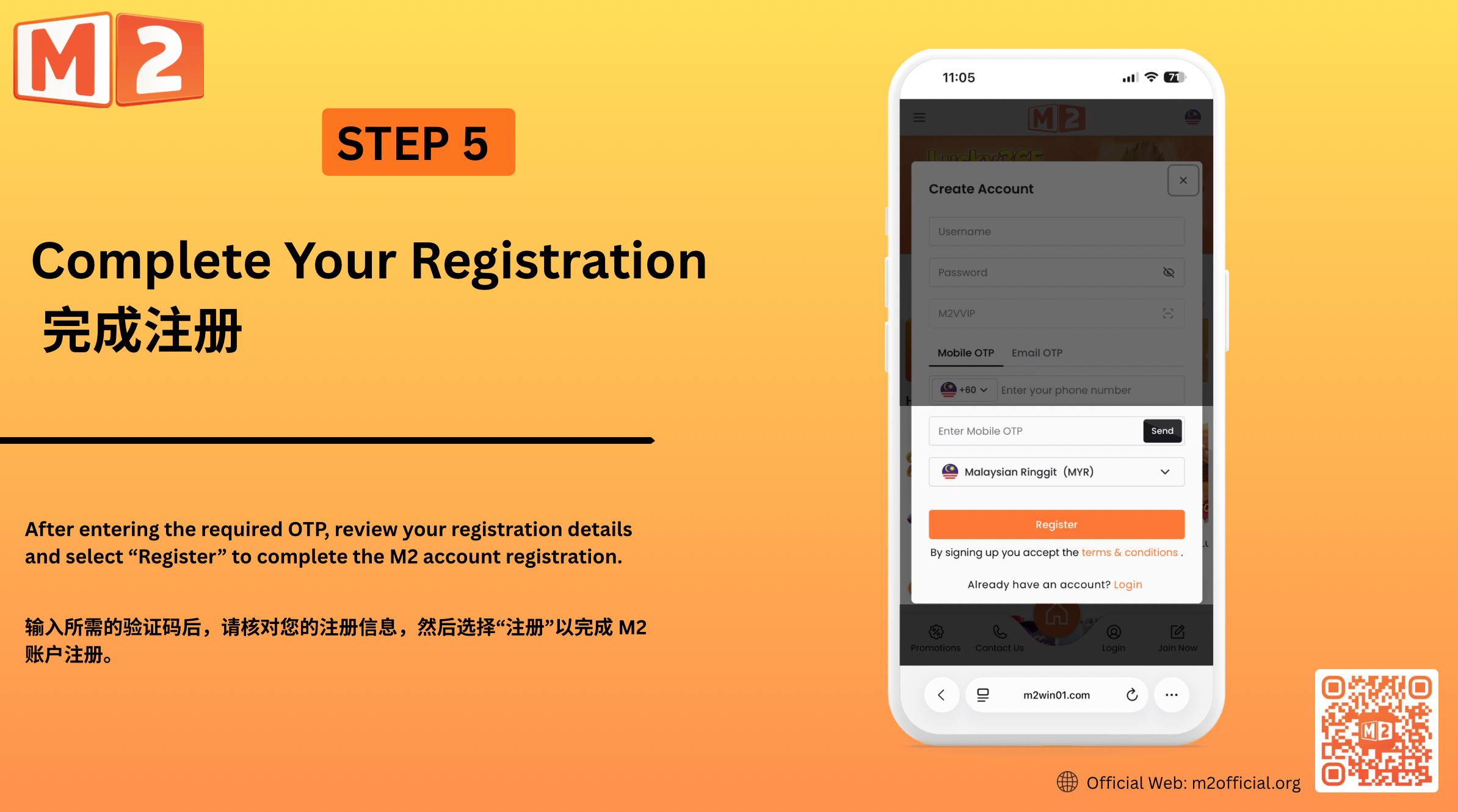
1 — Create Your Username Enter your preferred username in the registration form. Choose a username that you can easily remember and use for accessing your M2 account.
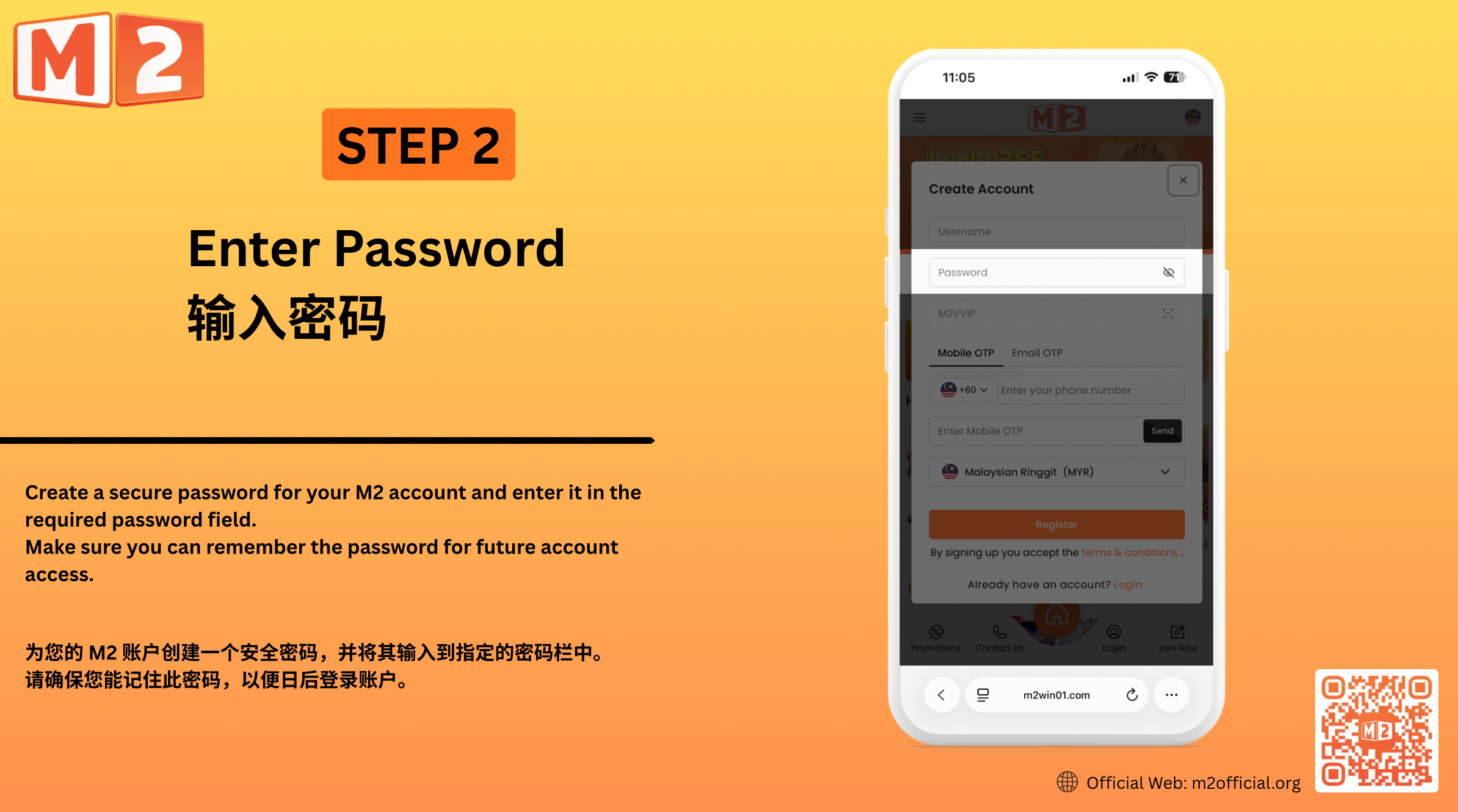
2 — Set Your Password Create a secure password for your M2 account and enter it in the required password field. Make sure you can remember the password for future account access.
3 — Confirm the Referral Code Enter M2VVIP in the referral or reference field when required. Make sure the referral information is correct before continuing with your registration.
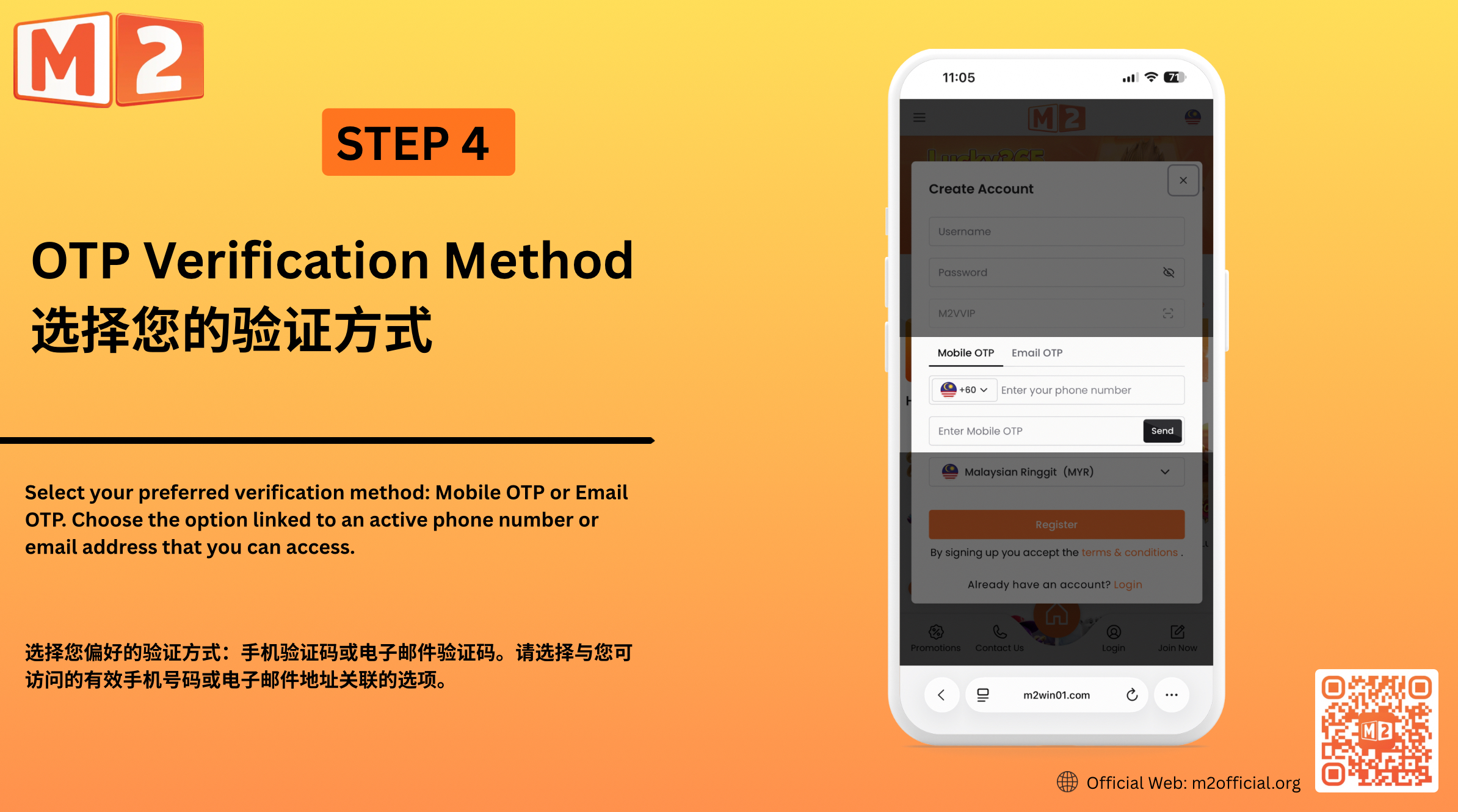
4 — Choose Your OTP Verification Method Select your preferred verification method: Mobile OTP or Email OTP. Choose the option linked to an active phone number or email address that you can access. Mobile OTP Enter a valid mobile number and select “Send”. Once you receive the OTP, enter the verification code in the required field. Email OTP Enter a valid email address and select “Send”. Check your email for the OTP, then enter the verification code in the required field.
5 — Complete Your Registration After entering the required OTP, review your registration details and select “Register” to complete the M2 account registration.
创建您的 M2 帐户
在 M2 官方平台注册非常简单,旨在帮助新用户创建 M2 账户并访问平台。输入您喜欢的用户名和密码,确认所需的推荐信息,然后使用手机验证码或电子邮件验证码完成注册。 提交注册信息前,请确保您提供的信息真实有效且易于访问,以便您能够收到所需的验证码并成功完成账户注册。