

ลงทะเบียน M2
สร้างบัญชี M2 Official ของคุณด้วยขั้นตอนการลงทะเบียนที่ง่ายและสะดวกสบาย
ลงทะเบียนกับ M2 Official
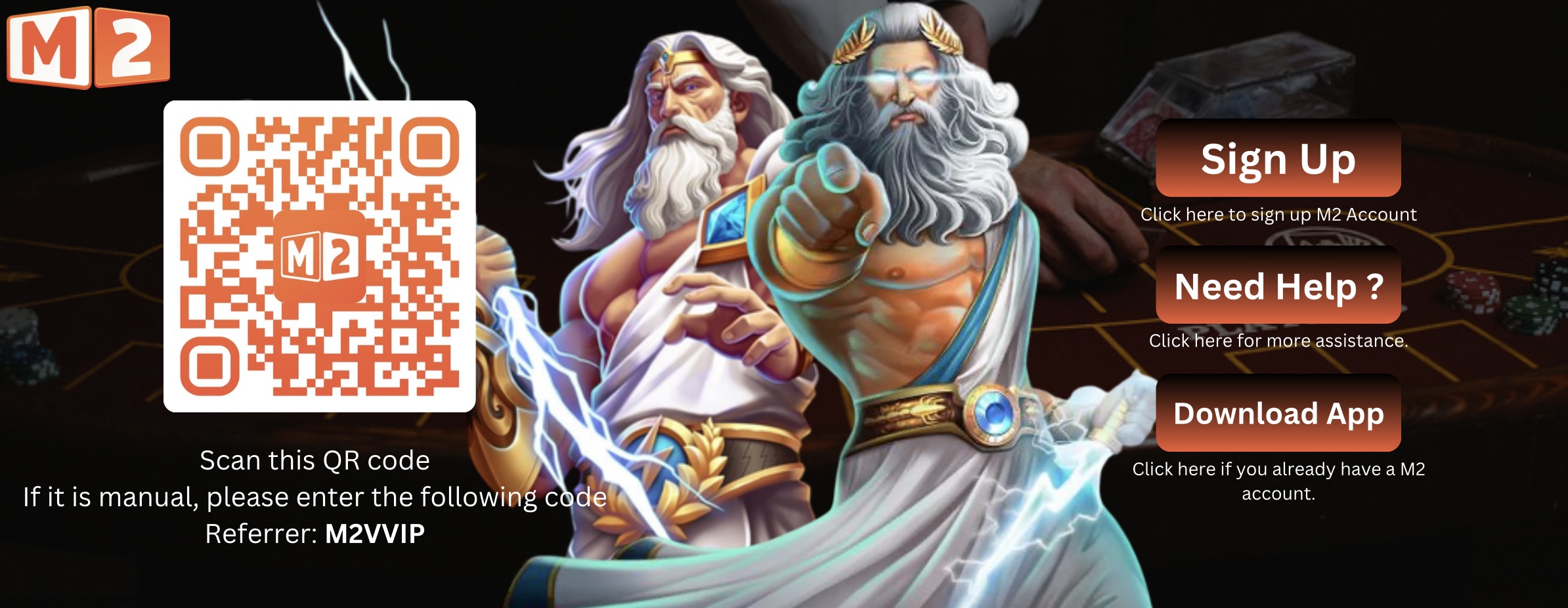 ลงทะเบียน M2 ตอนนี้เลย
How to Register with M2 Official
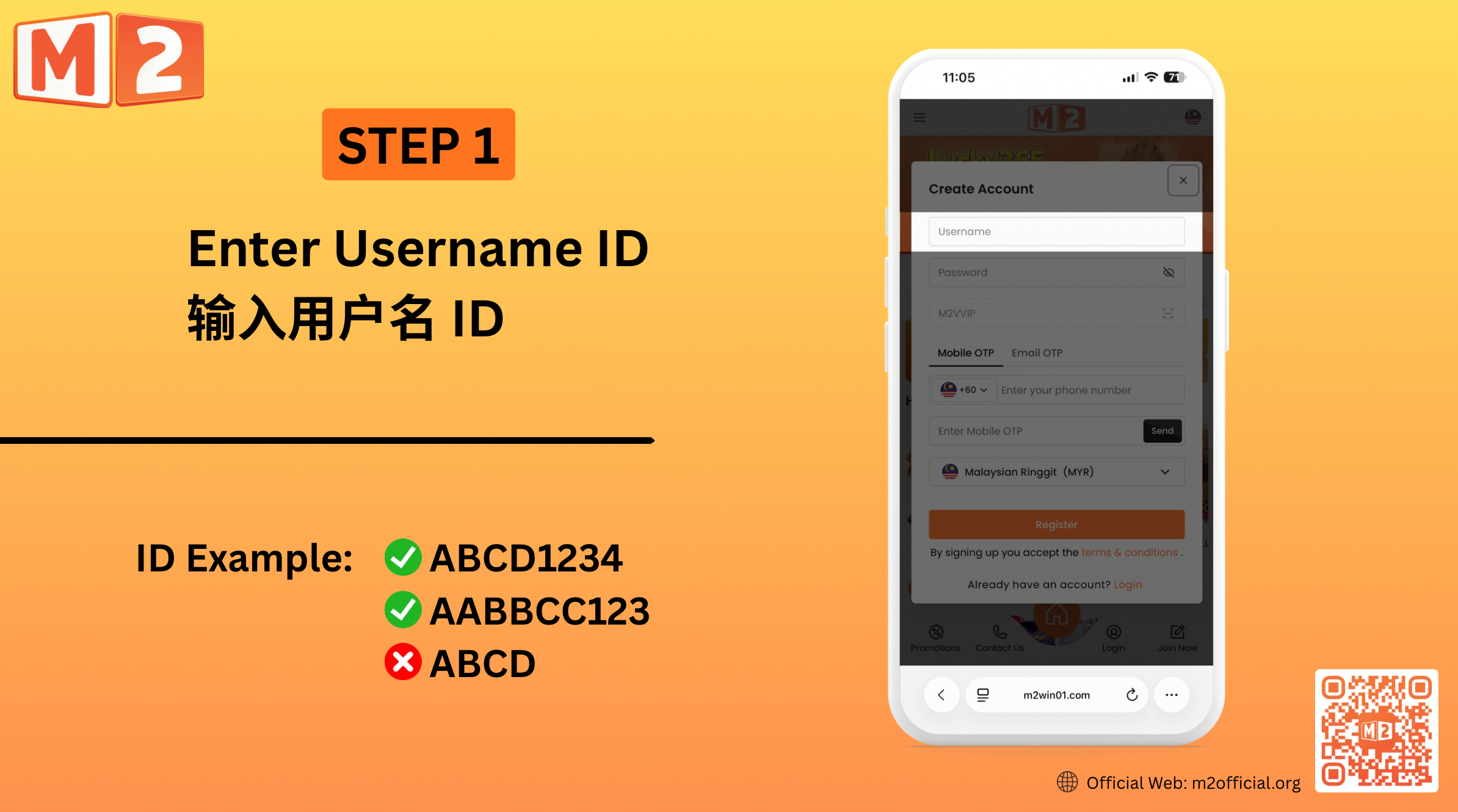
1 — Create Your Username Enter your preferred username in the registration form. Choose a username that you can easily remember and use for accessing your M2 account.
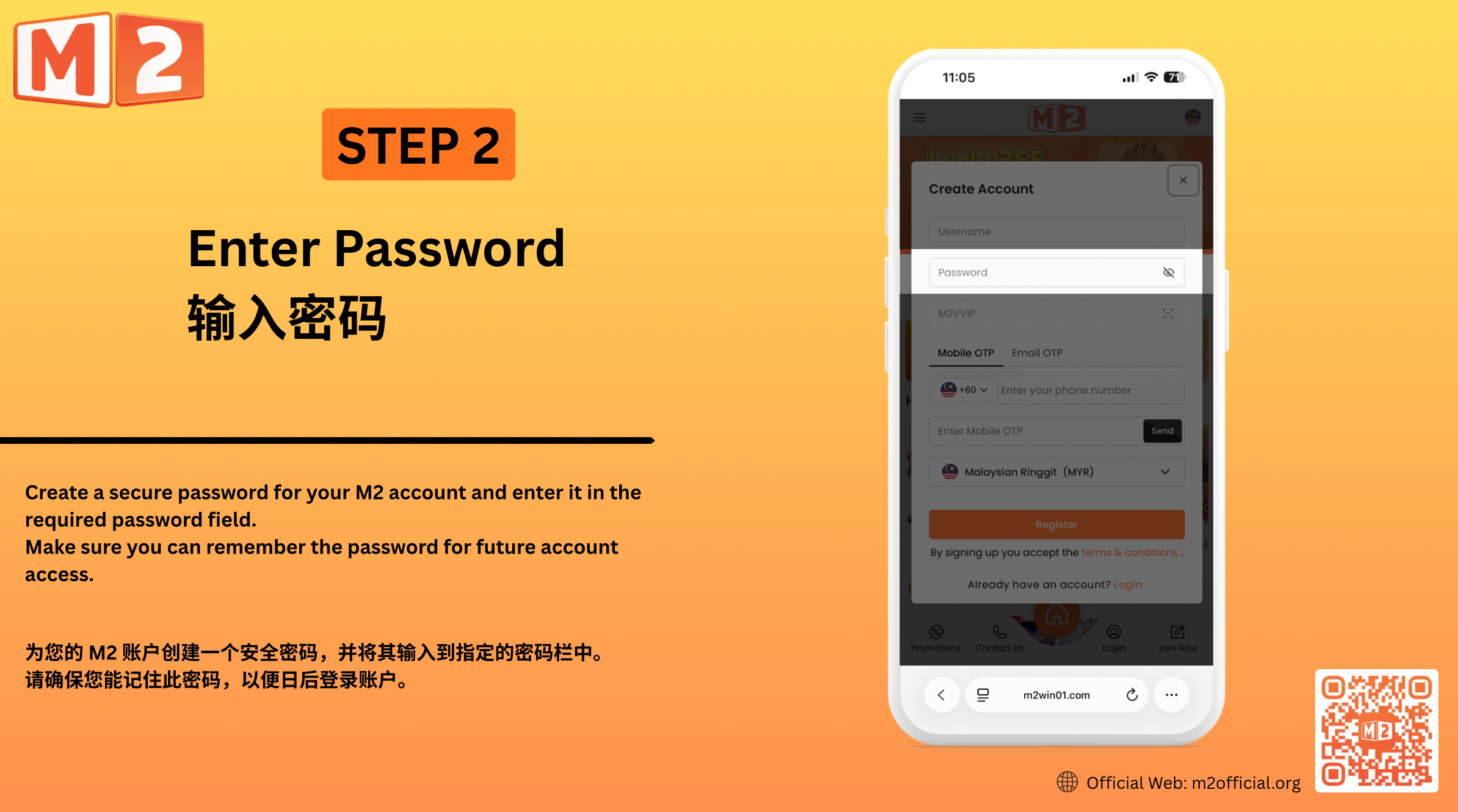
2 — Set Your Password Create a secure password for your M2 account and enter it in the required password field. Make sure you can remember the password for future account access.
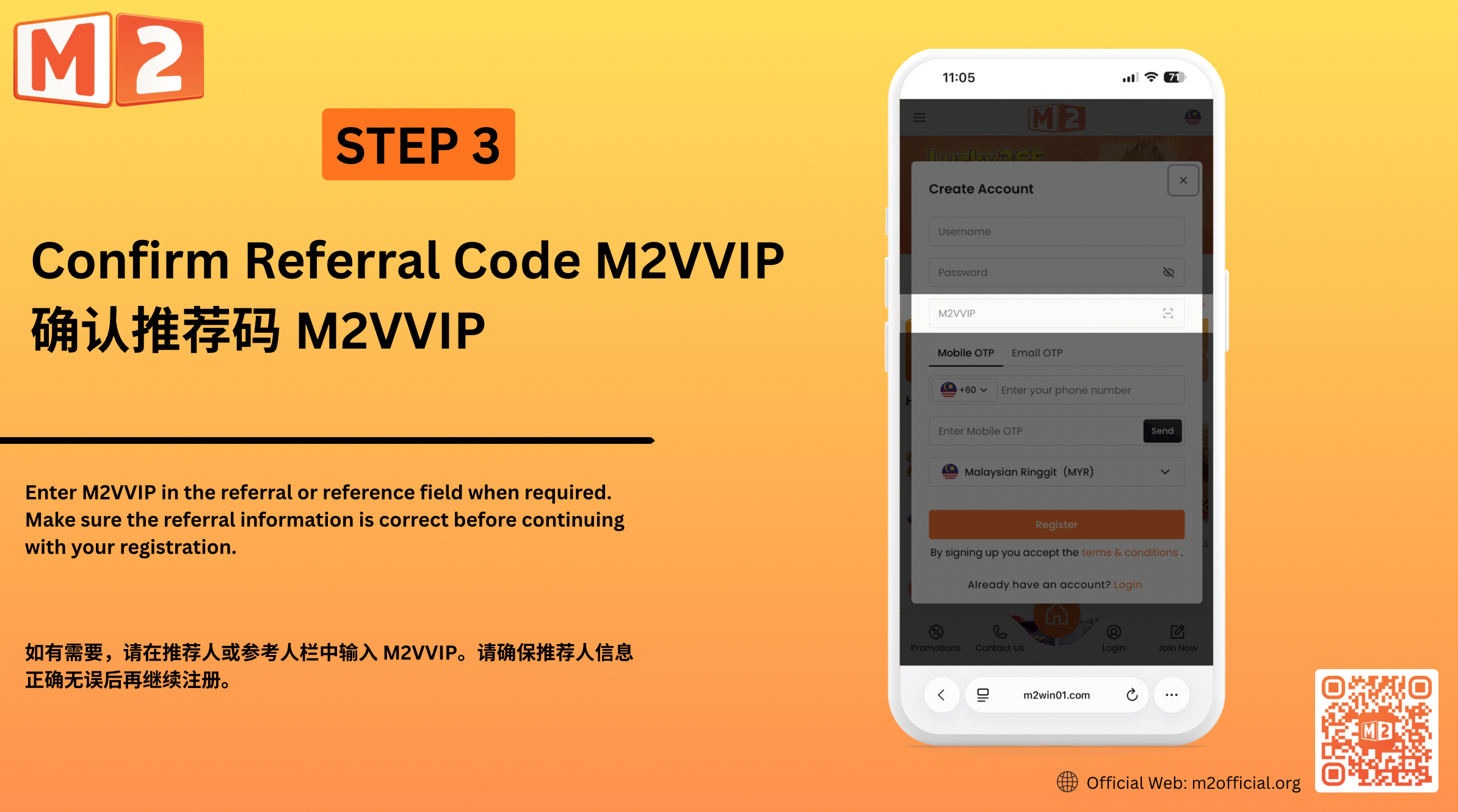
3 — Confirm the Referral Code Enter M2VVIP in the referral or reference field when required. Make sure the referral information is correct before continuing with your registration.
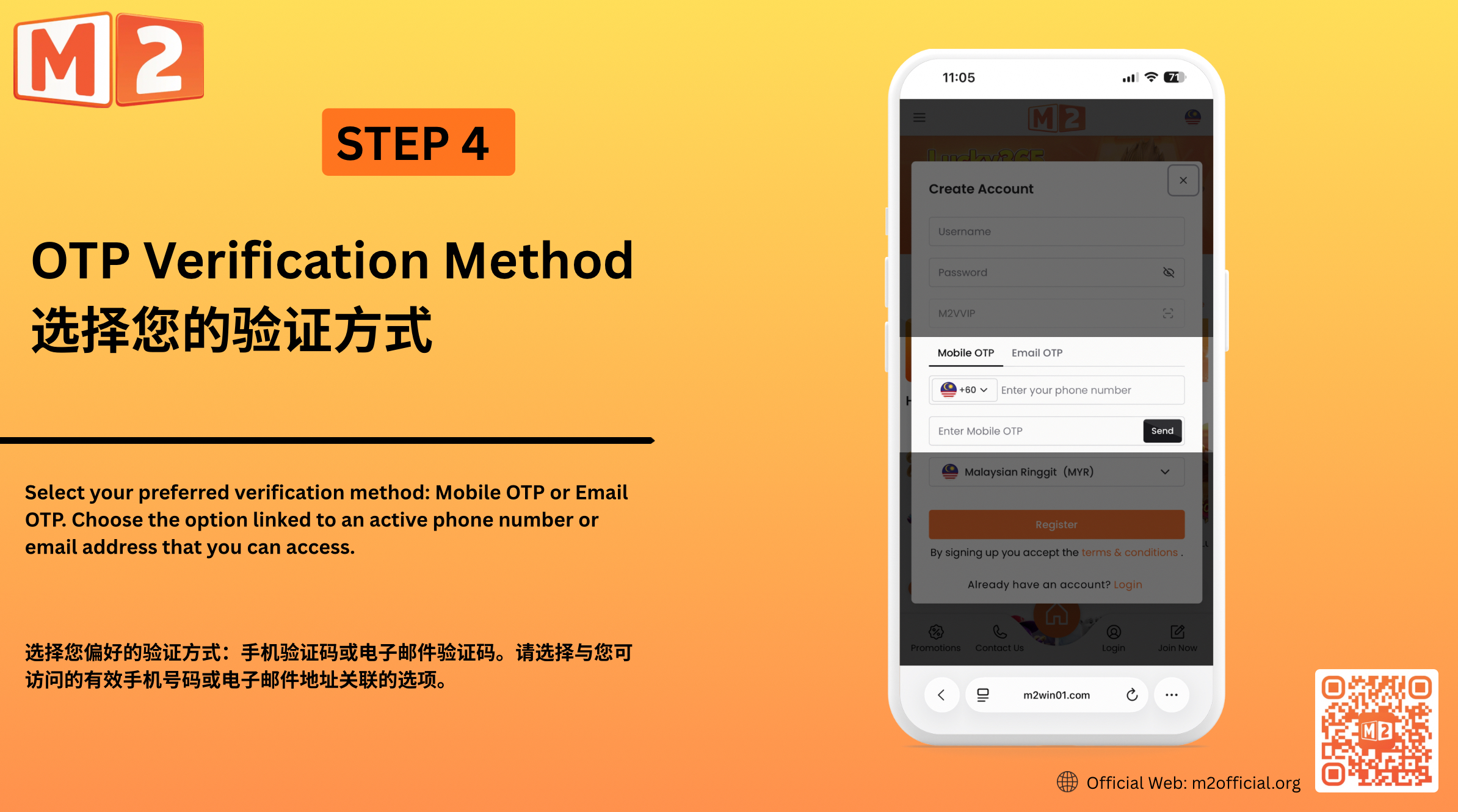
4 — Choose Your OTP Verification Method Select your preferred verification method: Mobile OTP or Email OTP. Choose the option linked to an active phone number or email address that you can access. Mobile OTP Enter a valid mobile number and select “Send”. Once you receive the OTP, enter the verification code in the required field. Email OTP Enter a valid email address and select “Send”. Check your email for the OTP, then enter the verification code in the required field.
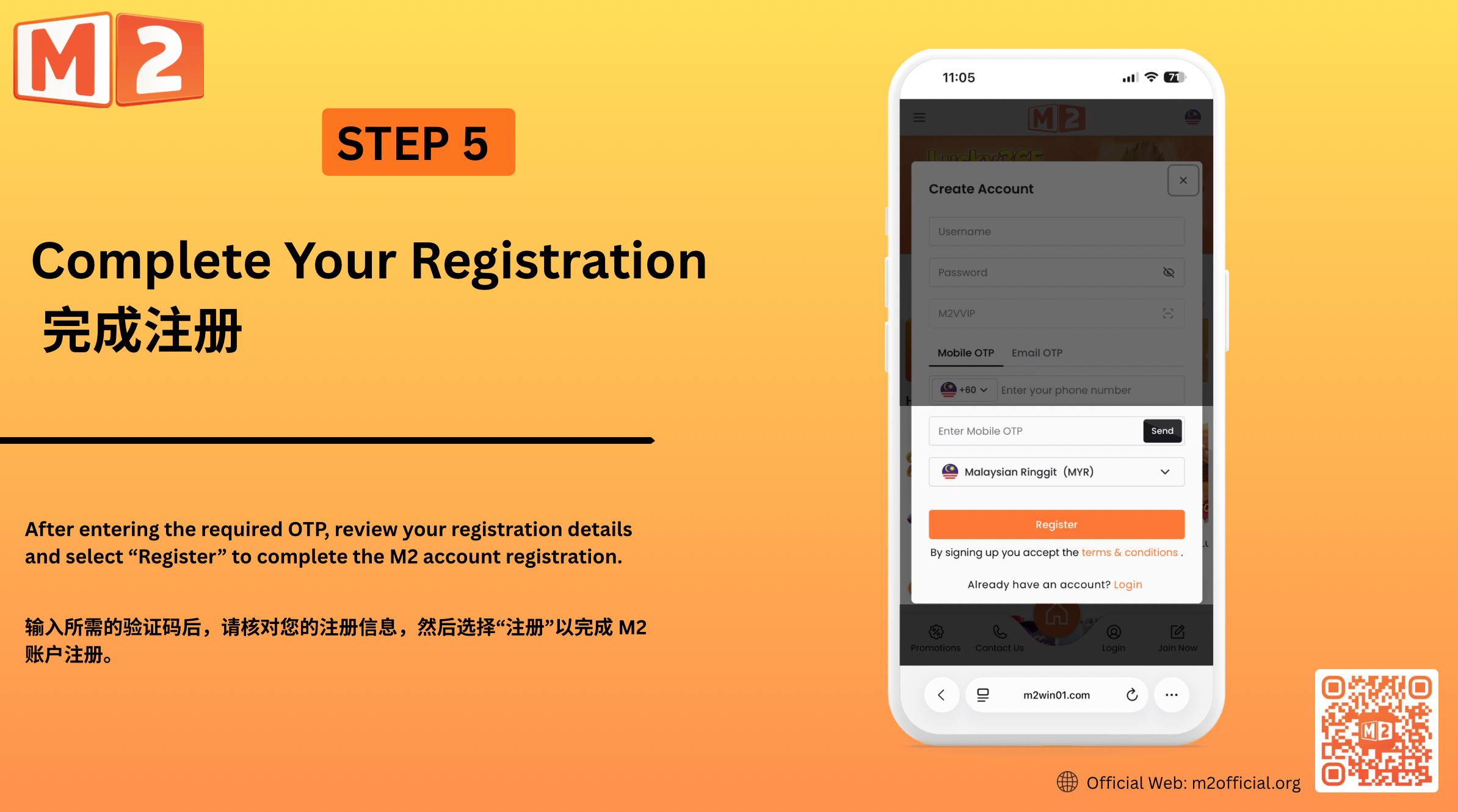
5 — Complete Your Registration After entering the required OTP, review your registration details and select “Register” to complete the M2 account registration.
สร้างบัญชี M2 ของคุณ
การลงทะเบียนกับ M2 Official เป็นกระบวนการง่ายๆ ที่ออกแบบมาเพื่อช่วยให้ผู้ใช้ใหม่สร้างบัญชี M2 และเข้าถึงแพลตฟอร์ม ป้อนชื่อผู้ใช้และรหัสผ่านที่คุณต้องการ ยืนยันข้อมูลการอ้างอิงที่จำเป็น และทำการลงทะเบียนให้เสร็จสมบูรณ์โดยใช้การยืนยัน OTP บนมือถือหรืออีเมล ก่อนส่งการลงทะเบียน โปรดตรวจสอบให้แน่ใจว่าข้อมูลที่คุณให้มานั้นถูกต้องและสามารถเข้าถึงได้ เพื่อที่คุณจะได้รับรหัสยืนยันที่จำเป็นและทำการลงทะเบียนบัญชีให้สำเร็จ