

Daftar M2
Cipta akaun Rasmi M2 anda dengan proses pendaftaran yang mudah dan senang.
Daftar dengan Pegawai M2
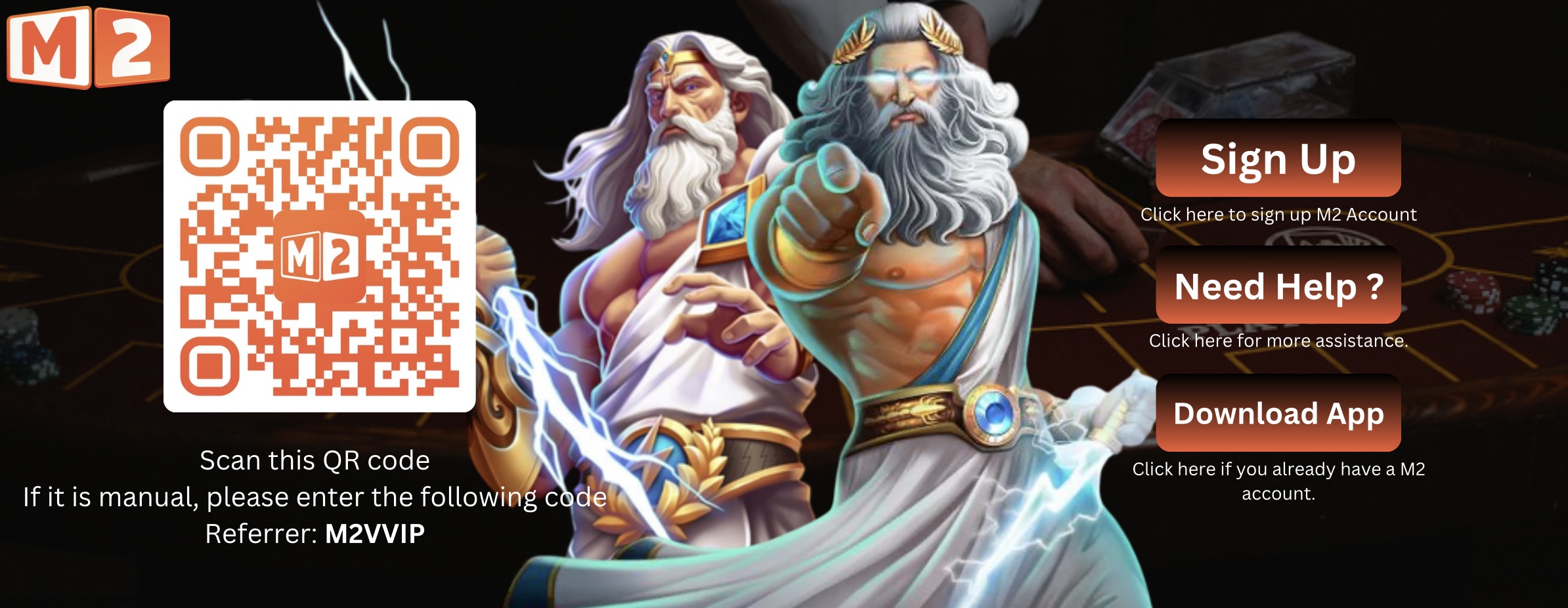 Daftar M2 Sekarang
How to Register with M2 Official
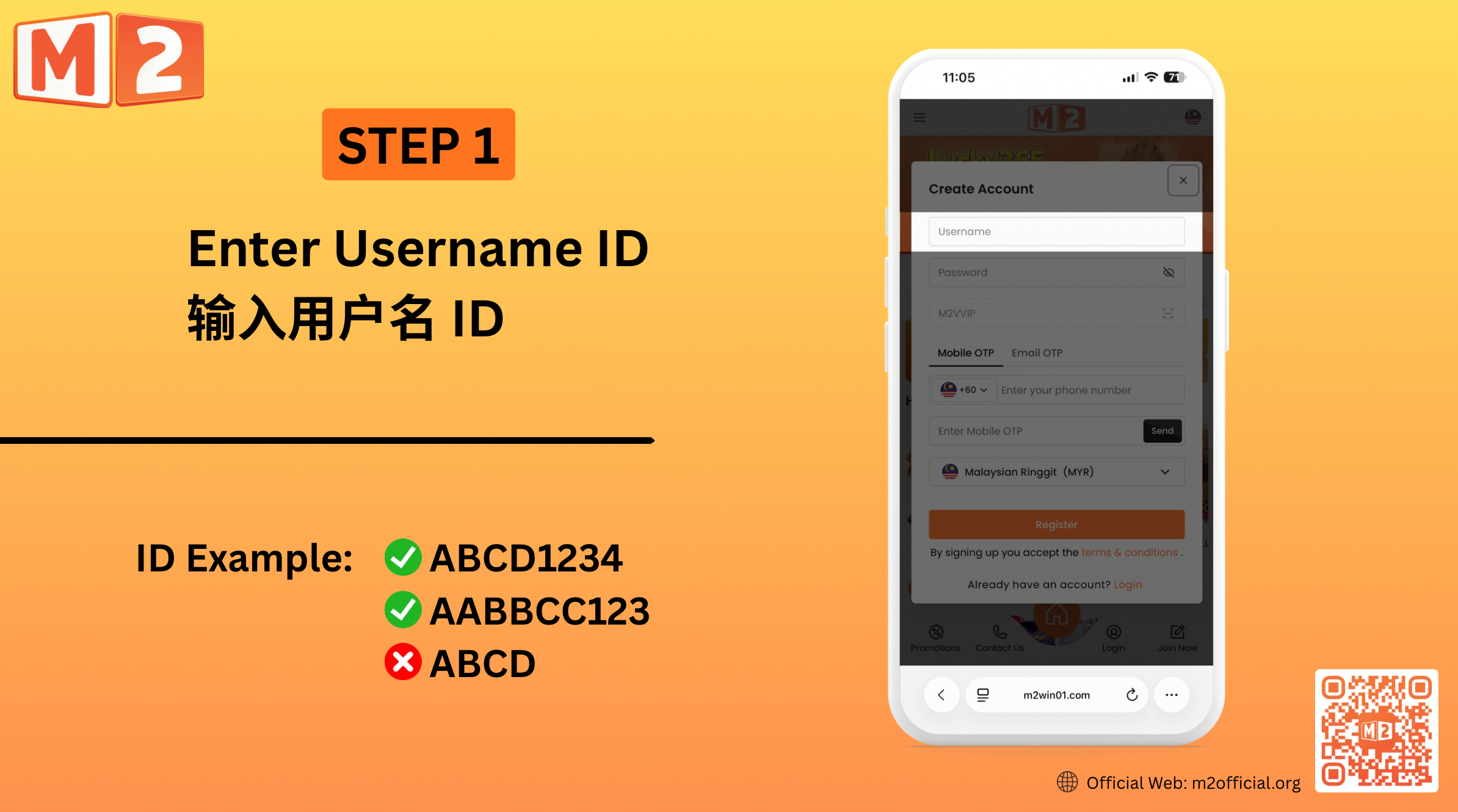
1 — Create Your Username Enter your preferred username in the registration form. Choose a username that you can easily remember and use for accessing your M2 account.
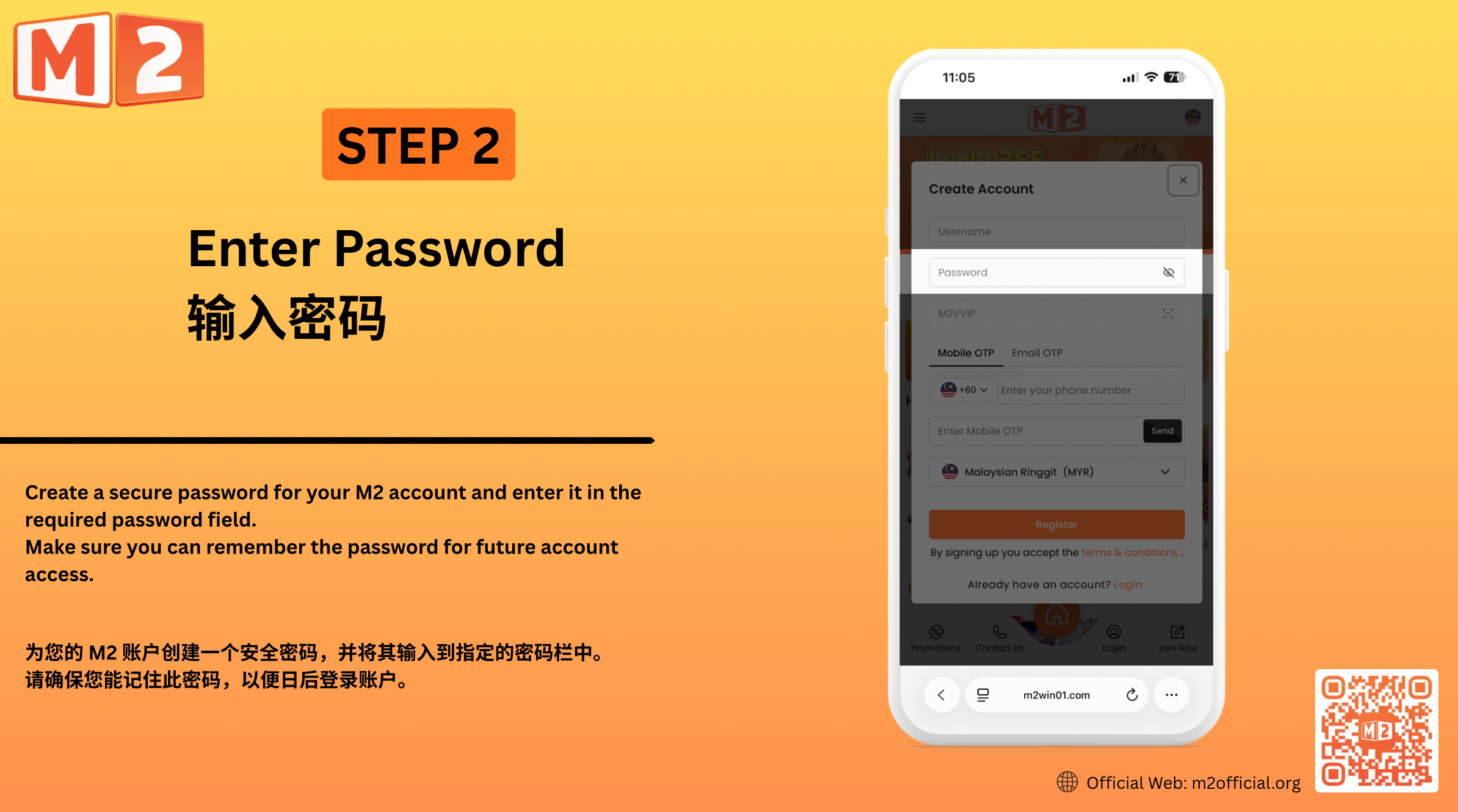
2 — Set Your Password Create a secure password for your M2 account and enter it in the required password field. Make sure you can remember the password for future account access.
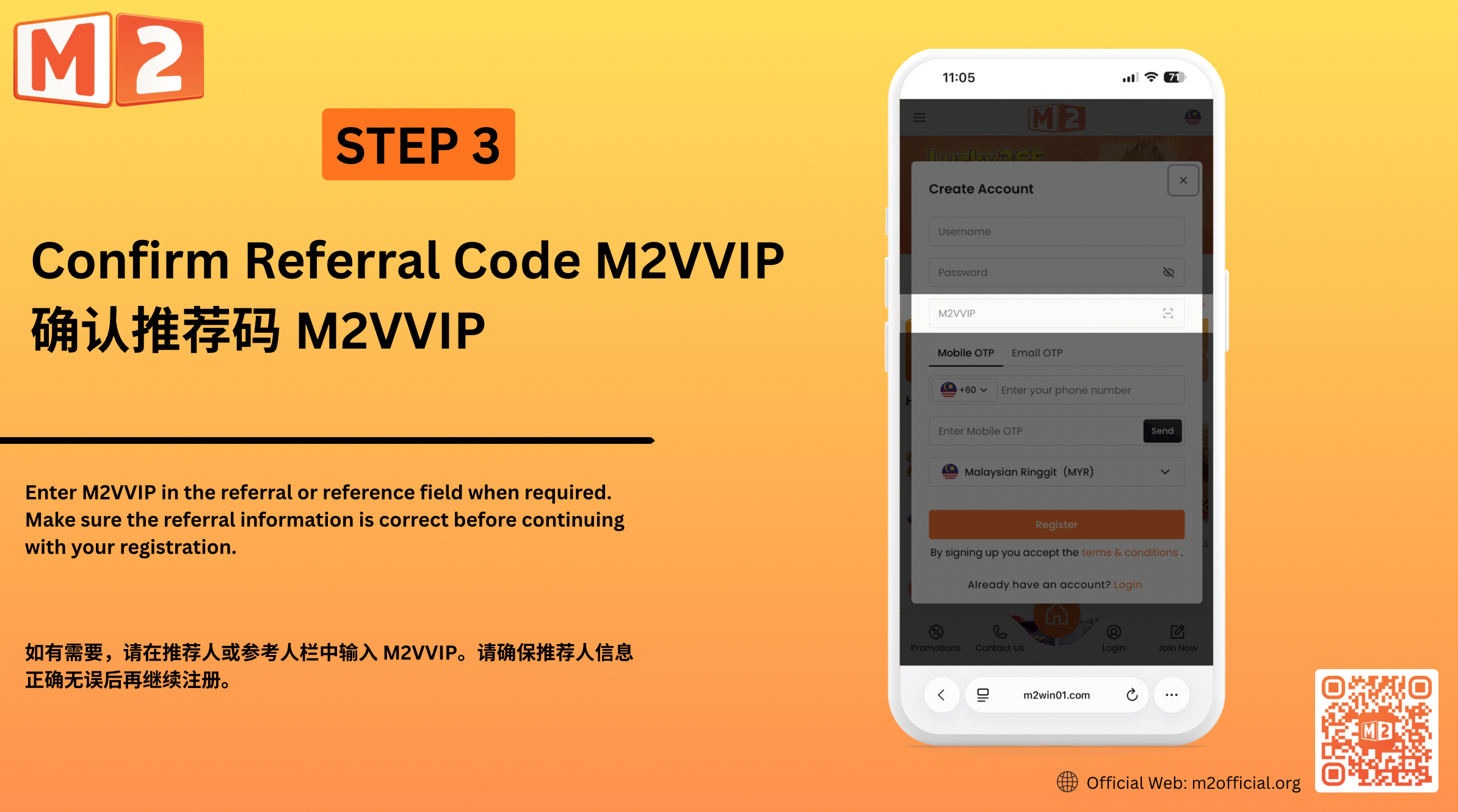
3 — Confirm the Referral Code Enter M2VVIP in the referral or reference field when required. Make sure the referral information is correct before continuing with your registration.
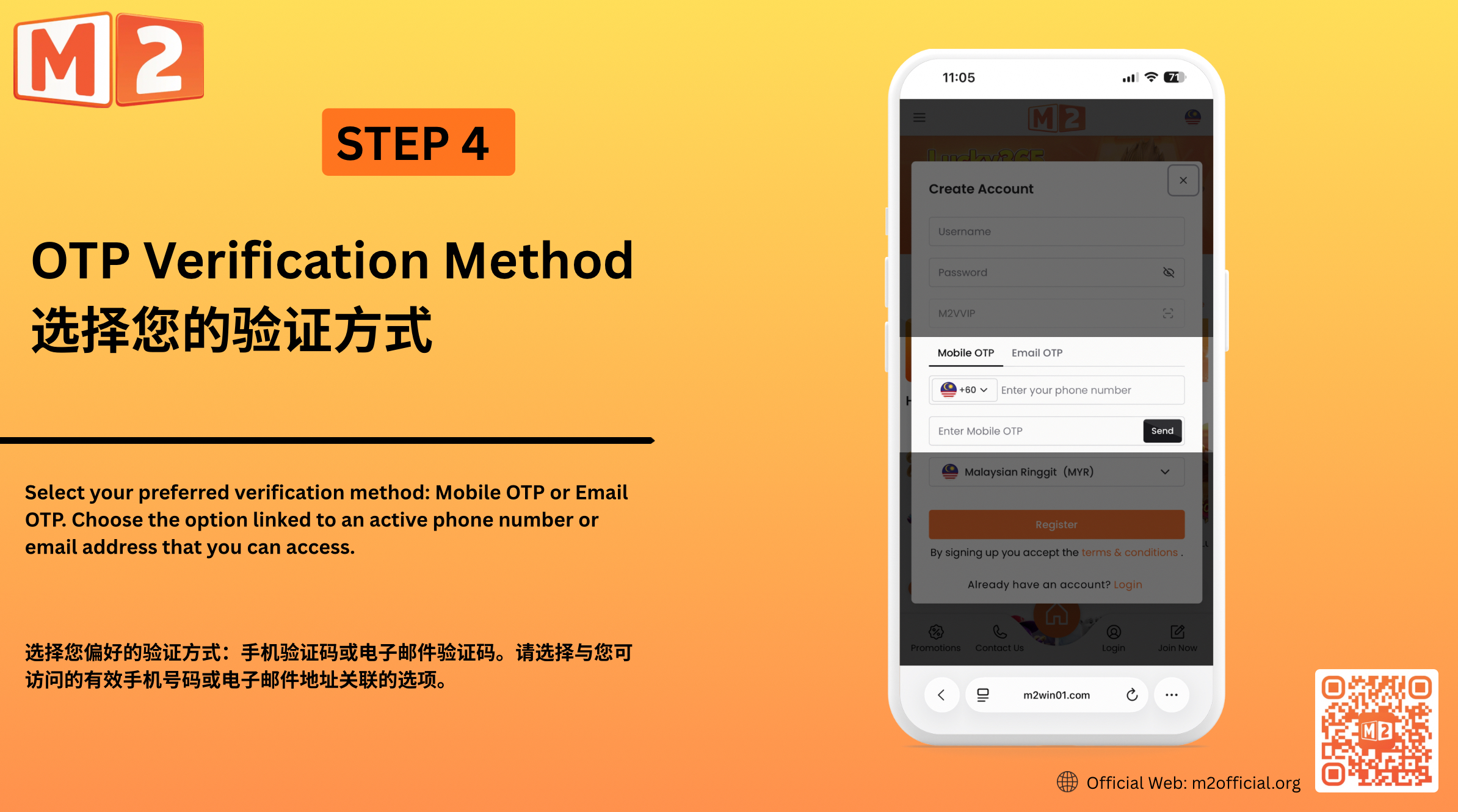
4 — Choose Your OTP Verification Method Select your preferred verification method: Mobile OTP or Email OTP. Choose the option linked to an active phone number or email address that you can access. Mobile OTP Enter a valid mobile number and select “Send”. Once you receive the OTP, enter the verification code in the required field. Email OTP Enter a valid email address and select “Send”. Check your email for the OTP, then enter the verification code in the required field.
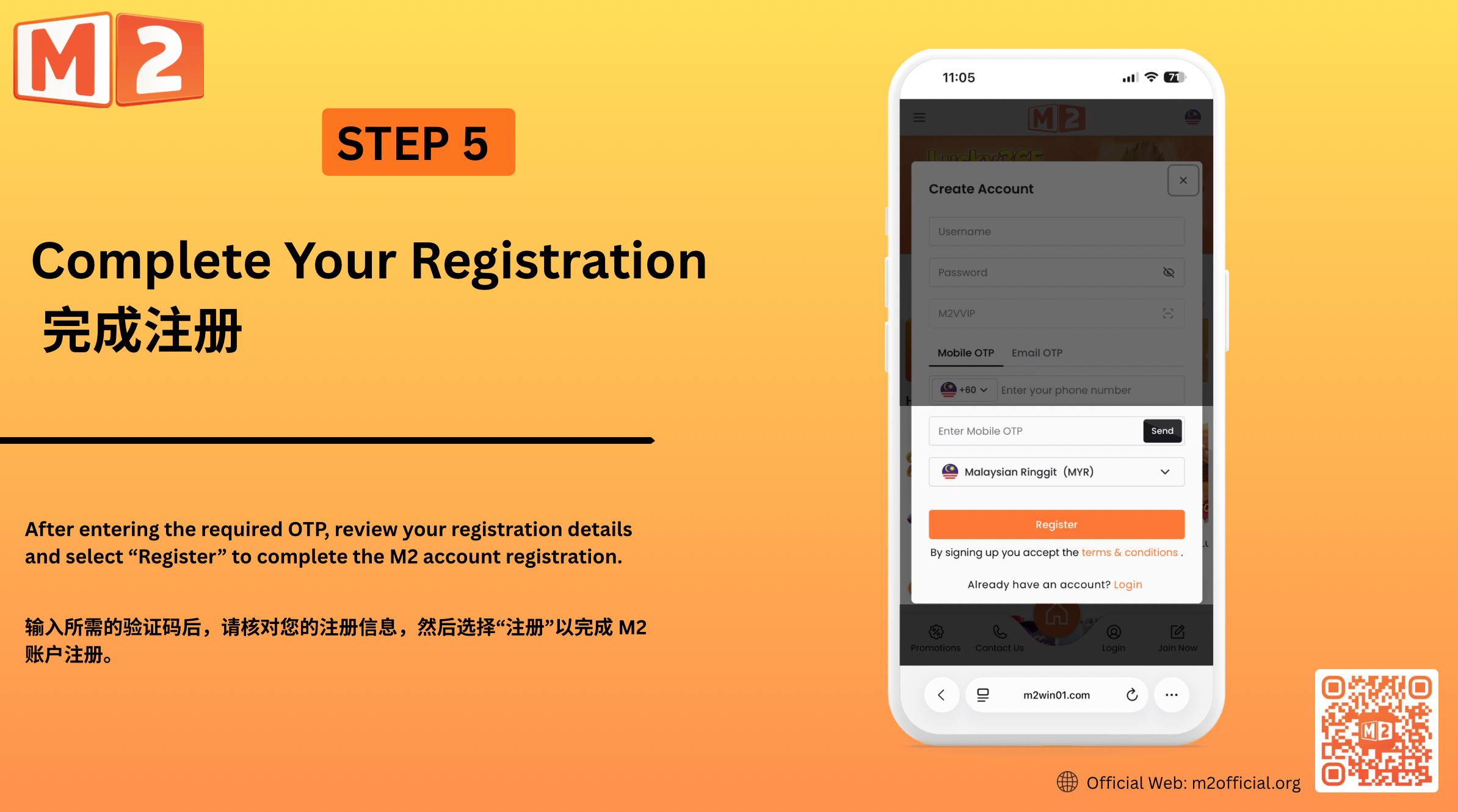
5 — Complete Your Registration After entering the required OTP, review your registration details and select “Register” to complete the M2 account registration.
Cipta Akaun M2 Anda
Mendaftar dengan M2 Official merupakan proses mudah yang direka untuk membantu pengguna baharu membuat akaun M2 mereka dan mengakses platform. Masukkan nama pengguna dan kata laluan pilihan anda, sahkan maklumat rujukan yang diperlukan dan lengkapkan pendaftaran menggunakan sama ada pengesahan OTP Mudah Alih atau OTP E-mel. Sebelum menghantar pendaftaran anda, pastikan maklumat yang anda berikan sah dan boleh diakses supaya anda boleh menerima kod pengesahan yang diperlukan dan melengkapkan pendaftaran akaun dengan jayanya.